
The MUI V7 Figma Library is a Starting Point. Here's What You Still Need to Do
Mar 30, 2026
The MUI V7 Figma Library is a Starting Point. Here's What You Still Need to Do.
You bought the MUI for Figma v7 kit. You installed it. You expected to start building. Instead, you are staring at a component panel full of props named State, layers named Frame 427, components using 2022 Figma logic, and nested typography components that only make sense in the codebase but are useless for the designer. Sound familiar?
The library is comprehensive in coverage. It is not ready to use. Not for consistent handoff, and definitely not for anything AI-assisted. Getting it there requires working through five specific problem areas, and if you skip any of them, you will feel it later.
For the last 2 weeks, during a design system engagement, I spent building out an MUI V7.2 library component by component, with a decision record in Airtable for every change. This is what we learned.
Prop naming is where most of the mess lives
MUI ships with API related props in the Figma Kit. They are written for a developer reading the properties panel, not for a Designer or AI agent trying to map Figma to code. State is the prop name for interaction variants. Dense is a boolean. ↳ End Icon has an arrow prefix because of how the property is nested in Figma's UI.
None of this is designer-friendly and causes friction.
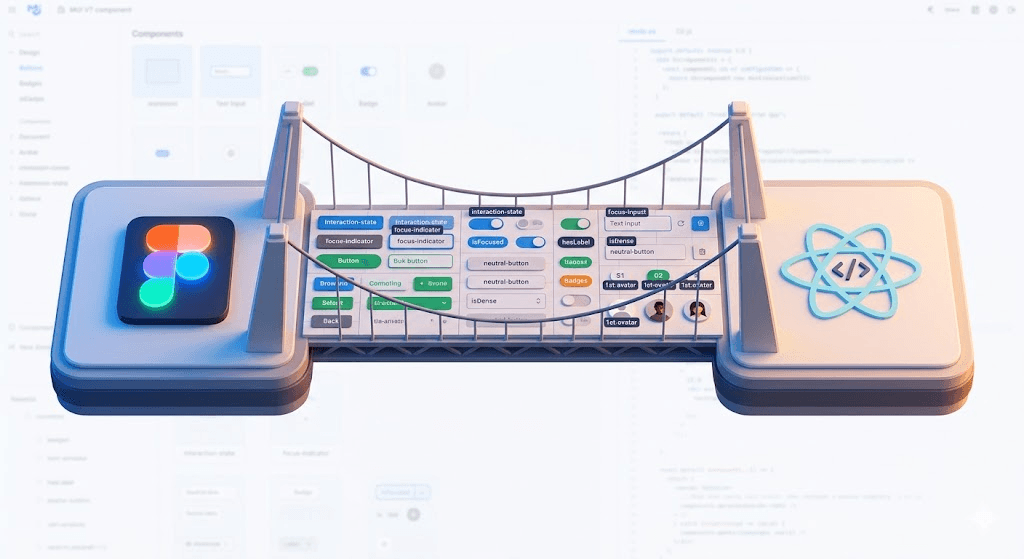
The fix is renaming everything that not only align with the API documentation but also make sense for consumers. We established certain conventions to make this consistent: boolean props that carry content get a has prefix (hasLabel, hasImage, hasStartIcon), and boolean props that describe the state get an is prefix (isDisabled, isDense, focusVisible). The pattern is not arbitrary. It makes intent readable without opening the docs every time.
Some renames are direct translations. ↳ End Icon becomes end-icon, which maps to endIcon in code. Others need judgment. The Variant prop on Badge became content-variant because too many components have a variant prop and they do not all mean the same thing. The Secondary button variant became neutral because that is what it actually communicates in context, and because secondary in MUI refers specifically to your theme's secondary color.
When your Figma props match your API props, a developer can read your design file without needing you to explain it. That is the whole point.
Layer names and prop names are not the same thing
This trips people up. A prop name describes the control. A layer name describes the element. They should follow different rules.
A boolean prop called isFocused maps to a layer called focus-indicator, because the layer is a visual indicator and should be named for what it is. A text prop called content-copy strips the -copy suffix at the layer level, leaving the layer simply named content. Numbered slots follow a {n}th- pattern: 1st-avatar is always visible, boolean toggles start at 2nd-avatar.
For AI readiness this distinction is not academic. AI generation tools working from Figma need consistent, predictable naming to produce consistent output. Layers named Frame 427 produce noise. Layers named focus-indicator and 2nd-avatar produce signal.
The library ships with structural layers you do not need
MUI V7 nests typography components and icon wrapper components inside many of its base components. For visual design purposes this is fine. For code alignment it introduces layers that have no equivalent in the codebase. A button in React does not have a separate Typography component inside it. It has a text node.
We ran a systematic pass across every component with two tasks: remove nested typography components, remove nested icon wrapper components. Every component got a checkbox in Airtable for each. That is how you avoid losing track across 80-plus components.
There is also the deprecation problem. Some components exist as separate library entries when they should be variants or states of a single component. SpeedDial, SliderRail, and several dialog subcomponents fell into this category for us. Separate Figma components that map to a single codebase component create fragmentation in handoff and confuse any downstream system trying to connect design to implementation.
Interaction states need one vocabulary across the whole library
MUI uses State as the prop name for interaction variants. It is confusing for designers and it is vague for them. We renamed it to interaction-state across every component that used it, and standardized the value set: Default, Filled, Disabled, Error, Read Only. Focus is handled separately via the focusVisible boolean so it does not collide with the focus ring work.
One vocabulary. Every component. That is what makes a QA pass, a design review, or a Storybook story able to reference the same state by the same name without guessing.
The 0.5px problem is more widespread than you think
Several components in the V7.2 library are placed on a half-grid. The result is a 1.5px gap in focus ring work instead of the expected 2px, or unusable on circle-shaped components. We found it on TextField, IconButton, Radio, and LoadingButton, among others.
This sounds minor until your whole team is using the library and the same misalignment shows up everywhere. We logged each affected component in an Issues table linked to its component record. Treating it as tracked data rather than a stray comment in a Figma file is what made it fixable rather than ambient.
What this is actually about
AI-assisted UI generation, design QA, and component suggestion all depend on the design file being named, structured, and organized in a way that maps to the codebase. MUI V7 does not ship in that state. Getting it there is not a cleanup task you do once. It is a decision about what contract your design system maintains between design and engineering, and whether that contract is readable by the tools, developers, and systems working from it.
The Airtable base we built to track this work became the closest thing to a single source of truth for why every component is the way it is. The cleaner library is one output. The decision record is the other.